EVERY DAY IS A BLACK FRIDAY HERE AT THE OFFICE CHAIR MAN
SUMMER 2026 OFFER! (Ends 30 September 2026) Qty 1–5 5%, 6–10 10%, 11–15 15%,16–20 20%, 21+ 25% Saving.
An ergonomic office chair can offer excellent support, but its effectiveness depends heavily on how it is adjusted. A chair that is too high, too deep or incorrectly positioned can make it harder to maintain a comfortable working position, even if the chair itself has been designed with ergonomics in mind.
At The Office Chair Man, we stock a wide range of adjustable office seating from established manufacturers. One thing that quickly becomes clear when looking at quality office chairs is that there is no single setting that suits everybody.
Your height, build, desk, monitor position and the type of work you do can all influence how your chair should be set up.
This guide explains how to adjust an ergonomic office chair step by step, from setting the seat height to positioning your keyboard and monitor. Whether you are setting up a home office, fitting out a workplace or using a shared desk, these principles can help you make better use of the adjustments available on your chair.
If your current chair does not provide the adjustments you need, you can also explore our range of used office chairs.
Adjust the seat height so your thighs are supported, your feet are stable and your shoulders remain relaxed while working.
Set the seat depth to leave around 2 to 3 cm between the front edge of the seat and the back of your knee.
Position the backrest and lumbar support so your lower back feels comfortably supported without excessive pressure.
Adjust the armrests, tilt and tension controls to suit your body while making sure you can sit close enough to your desk.
Check your monitor, keyboard and mouse after adjusting your chair, as a comfortable workstation depends on all of these elements working together.
Did you know? HSE guidance recommends leaving around 2 to 3 cm between the front of your office chair seat and the back of your knee.
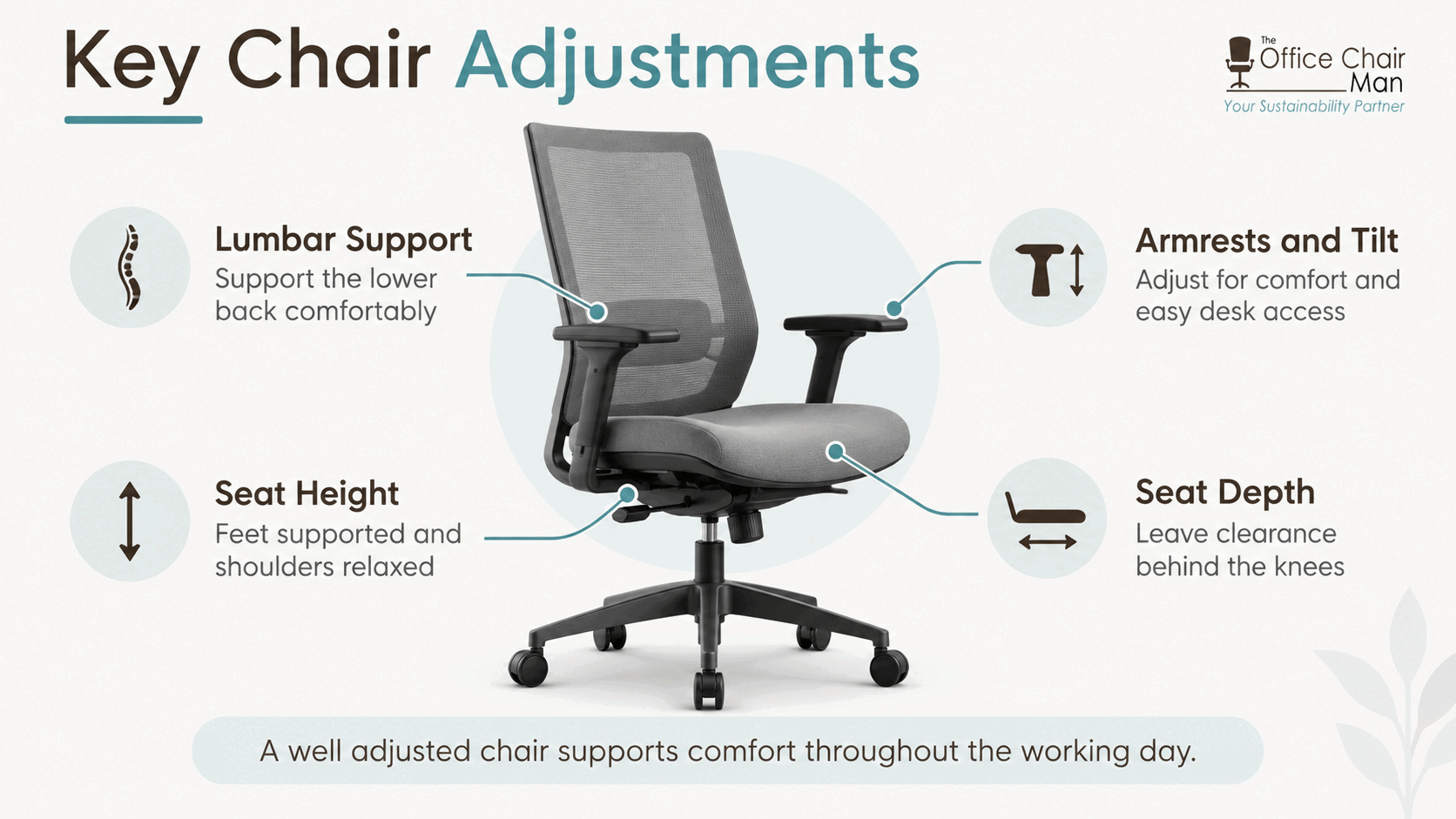
The exact controls available will depend on your chair. Some task chairs provide extensive adjustment, while others use mechanisms that automatically respond to the person sitting in them.
Common adjustments include:
Seat height
Seat depth
Backrest height
Lumbar support
Backrest angle
Seat tilt
Recline or tilt tension
Tilt locking positions
Armrest height
Armrest width
Armrest depth
Not every ergonomic chair will have every one of these features, and having more controls does not automatically make a chair better for every user. What matters is whether the available adjustments allow you to achieve a comfortable working position.
For people who require a greater degree of adjustability, our range of used DSE chairs includes chairs designed for workstation use with a variety of adjustment options.
The table below provides a useful starting point based on current Health and Safety Executive guidance.
| Area | What to Aim For |
|---|---|
| Screen height | Top of the screen around eye level |
| Screen distance | Approximately an arm’s length away |
| Keyboard | Positioned just below elbow height |
| Shoulders | Relaxed rather than raised |
| Thigh support | Front and back of thighs supported evenly |
| Seat depth | Around 2 to 3 cm between the seat edge and the back of the knee |
| Backrest | Good lower-back support |
| Mouse | Positioned approximately in line with the elbow |
| Screen and keyboard | Centred in front of you to reduce twisting |
Treat these as useful setup principles rather than a reason to force yourself into an uncomfortable position. Bodies, chairs and workstations vary, so comfort and appropriate support still matter.
Before changing individual controls, sit at the desk where you normally work.
Place your keyboard, mouse and monitor where you would usually have them and sit fully back in the chair. If somebody else has recently used the chair, it can be useful to start by checking each adjustable setting rather than assuming their position will also suit you.
You should also make sure there is enough space beneath the desk for your legs and that nothing prevents the chair from moving sufficiently close to the work surface.
Armrests are particularly important here. If they collide with the desk and force you to sit too far away, you may end up reaching forwards for your keyboard and mouse.
Once the basic workstation is ready, you can start adjusting from the chair itself.
Seat height is one of the most important adjustments to get right.
Sit with your bottom towards the back of the chair and raise or lower the seat until your thighs are comfortably supported. Your shoulders should be able to remain relaxed when you are using your keyboard.
The Health and Safety Executive advises positioning the keyboard just below elbow height and setting the seat so that the front and back of the thighs are supported evenly.
Check your feet as well. They should have stable support rather than hanging unsupported beneath the chair.
If your desk requires you to raise the chair to a height where your feet no longer reach the floor comfortably, a suitable footrest may be required. Lowering the chair purely to get your feet onto the floor could create a separate problem if it leaves the desk or keyboard too high.
After adjusting the height, ask yourself:
Can I keep my shoulders relaxed while typing?
Are my thighs comfortably supported?
Are my feet supported?
Is there uncomfortable pressure underneath my thighs?
Can I reach the keyboard without lifting my shoulders or leaning forwards?
If the answer to any of these is no, make another small adjustment before continuing.
Seat depth determines how far the seat extends beneath your thighs.
Many higher specification task chairs use a sliding seat mechanism that allows the seat pan to move forwards and backwards. This can be particularly useful because two people of the same overall height may still have different leg proportions.
Sit fully against the backrest before adjusting the depth.
The current HSE recommendation is to leave approximately 2 to 3 cm between the front edge of the seat and the back of the knee.
If the seat is too deep, the front edge may press against the backs of your legs. You may also find yourself sitting towards the front of the chair instead of making proper use of the backrest.
If the seat is unnecessarily shallow, there may be less support beneath the thighs.
Make small adjustments until you can use the backrest while maintaining comfortable clearance behind your knees.
If seat-depth adjustment is important to you, our task and operator seating range includes refurbished seating from established office-chair manufacturers, with different adjustment mechanisms depending on the model.
Once the seat height and depth feel right, turn your attention to the backrest.
The backrest should provide comfortable support to your lower back. HSE workstation guidance specifically highlights the importance of good lower-back support.
Sit towards the rear of the chair so your back can make proper contact with the backrest.
If the backrest height can be adjusted, move it until the shaped or supportive area sits comfortably against your lower back. If your chair has a separate adjustable lumbar mechanism, raise, lower or alter it until you feel supported without excessive pressure.
More lumbar support is not automatically better.
A setting that feels as though it is pushing you out of the chair or creating a concentrated pressure point is unlikely to be comfortable for prolonged use.
The important points are that you can sit against the backrest, your lower back feels supported and you are not being encouraged to perch forwards.
For users looking for chairs with more specialist adjustment options, we also stock used orthopaedic office chairs.
This is where office chairs can differ significantly.
Depending on the model, your chair might have a back-angle adjustment, tilt lock, seat tilt, synchronous mechanism, reclining resistance control or an automatic weight-balancing mechanism.
It is worth understanding what each control actually does before changing it.
This changes the position of the seat, backrest or both, depending on the mechanism.
A tilt lock allows certain chairs to be held at a particular point within their movement. The number of available locking positions varies by model.
Where manually adjustable tension is provided, this changes the amount of resistance you experience when leaning back.
If the chair moves backwards too easily, you may need greater resistance. If you have to push hard against the backrest to make it move, reducing the tension may make the mechanism more comfortable to use.
Do not assume that every lever underneath a chair performs the same function. Different manufacturers use different mechanisms, so check the controls on your particular model.
Armrests can support a comfortable working position, but only when they are positioned appropriately.
Start by relaxing your shoulders naturally.
Raise or lower adjustable armrests so they provide useful support without pushing your shoulders upwards. If your chair allows width, depth or angle adjustment, use these controls to find a position that works with your body and desk.
Then move the chair towards your workstation.
This final check is important because armrests can sometimes prevent a chair from fitting sufficiently close to the desk. If that happens, you may compensate by reaching forwards, which defeats the purpose of adjusting the chair carefully.
Where possible, reposition or lower the armrests so you can sit close enough to use your equipment without stretching.
A perfectly adjusted chair cannot compensate for a badly positioned workstation.
Once your chair feels comfortable, look at everything around it.
For a standard workstation, HSE guidance recommends placing the top of the screen around eye level and positioning the screen approximately an arm’s length away.
Keep the main screen directly in front of you where possible. Continually turning your head or twisting your body towards a monitor positioned to one side can undermine an otherwise well-arranged chair setup.
Your keyboard should sit just below elbow height.
Keep it in front of you so you do not have to twist while typing, and leave enough space to work comfortably.
Keep the mouse within easy reach and approximately in line with your elbow rather than stretching your arm forwards or out to the side.
The height of a fixed desk cannot easily be changed, which is why seat height and foot support sometimes need to be considered together.
An adjustable desk gives you another option.
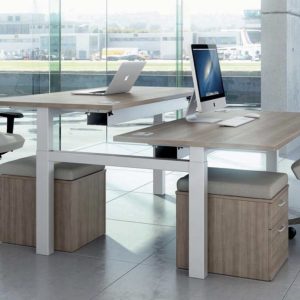
Our range of used sit-stand desks includes height-adjustable desks that allow the work surface to be raised and lowered, making it possible to alternate between seated and standing work.
Your chair may feel fine for the first two minutes but less suitable once you actually start working.
Spend some time carrying out the tasks you normally perform and pay attention to how you naturally position yourself.
Check whether:
Your lower back remains supported
Your shoulders stay relaxed
Your feet remain comfortably supported
The seat edge is clear of the backs of your knees
You can reach the keyboard and mouse without stretching
You are sitting against the backrest rather than gradually moving forwards
Your screen remains comfortably positioned in front of you
Make small changes rather than adjusting several controls simultaneously. That makes it easier to understand which setting has improved or worsened your position.
This is particularly useful when hot-desking. A chair that has been properly adjusted for one person may be completely unsuitable for the next user.
Good chair adjustment is important, but good ergonomics does not mean finding one position and remaining completely still for an entire working day.
HSE guidance for display screen equipment recommends incorporating breaks or changes of activity into DSE work. These changes should give people an opportunity to get up, move around, stretch or change posture.
Shorter, more frequent breaks can be more useful than relying on a single long break after an extended period of uninterrupted screen work.
Changing task can help too. A phone call, meeting, trip to a printer or another activity away from the screen may provide a natural opportunity to move.
Your office chair should support your work, not make you feel that you have to remain fixed in one position.
Even a high-quality chair can be uncomfortable when poorly adjusted. Some common mistakes include:
Sitting towards the front of the chair instead of using the backrest
Setting the seat so high that the feet are unsupported
Setting the seat too low and having to raise the shoulders while typing
Allowing the front of the seat to press into the backs of the knees
Ignoring adjustable lumbar support
Setting lumbar support too aggressively
Positioning armrests so they prevent the chair fitting under or near the desk
Keeping the keyboard or mouse too far away
Placing the main monitor to one side
Using somebody else’s chair settings without readjusting them
Remaining in exactly the same posture for prolonged periods
The solution is rarely to adjust one feature in isolation. Seat height, seat depth, back support, desk height and equipment position all work together.
If you prefer a breathable backrest, you can also browse our range of used mesh office chairs. Always check the individual product specifications, as the adjustments available differ between models.
There is no universal seat height that suits everybody.
Adjust the chair so your thighs are supported, your feet have stable support and you can use your keyboard with relaxed shoulders. The correct setting will depend on your height, leg length and workstation.
Your feet should have comfortable support. If setting the chair to an appropriate working height leaves your feet unsupported, a suitable footrest may be useful rather than compromising the rest of the workstation setup.
Lumbar support should comfortably support your lower back. If the support can be moved, adjust it until it makes comfortable contact with your lumbar area without creating excessive pressure or pushing you forwards.
HSE’s standard workstation guidance recommends approximately 2 to 3 cm between the front of the seat and the back of the knee.
That depends on the chair and the task.
Some chairs offer several locking positions, while others are designed to move with you or use automatic mechanisms. Learn how your particular chair operates and choose a supported position that feels appropriate for the work you are doing.
Yes. If somebody else has used the workstation, take a moment to reset the seat height, depth, backrest and armrests for your own body before starting work.
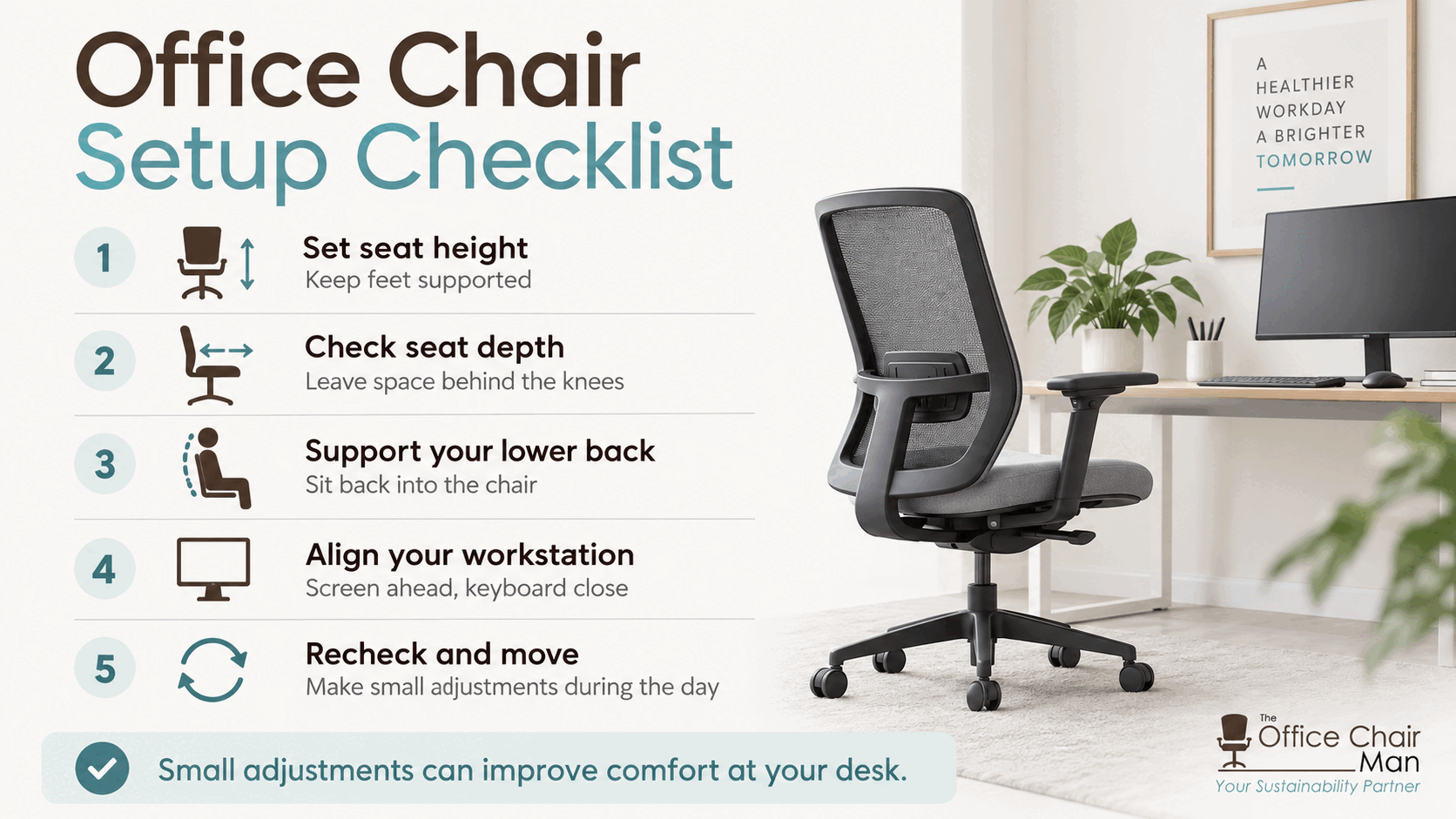
Correctly adjusting an ergonomic office chair is not complicated, but working through the controls in the right order makes the process much easier.
Start with the seat height, then check the seat depth, lower-back support, backrest mechanism and armrests. Once the chair is comfortable, adjust the monitor, keyboard, mouse and desk around your working position.
Most importantly, remember that the right setup is personal. A position that works perfectly for a colleague may not suit you.
At The Office Chair Man, we supply quality used and refurbished office seating from leading manufacturers, giving businesses and home workers access to a wide variety of chair designs and adjustment options.
Take the time to set your chair up properly, make small adjustments where necessary and continue changing position throughout the working day.